
Many servers run all their PHP sites in one pool as www-data. It works, until one site is compromised. This post explains why per-site pools are worth the effort and how to move to them without drama.
1. One shared pool means one shared blast radius
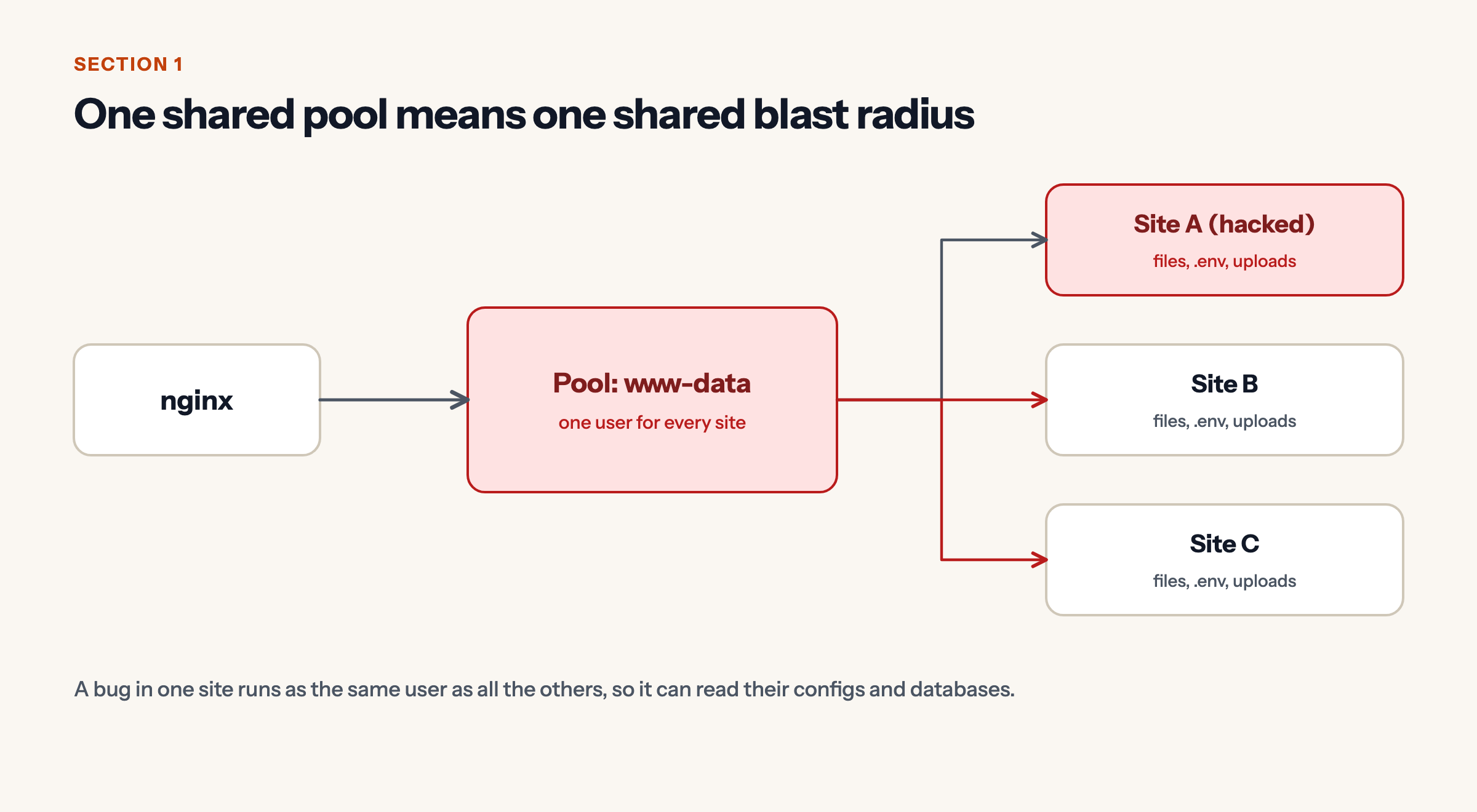
When every site runs as the same user, a bug in one site can read the files, .env and uploads of every other site, because the operating system sees no difference between them.
2. Each site gets its own user, socket and pool
Give each site its own system user, its own pool and its own socket. nginx sends each site’s requests to that site’s socket. The site’s directory is readable only by its own group.
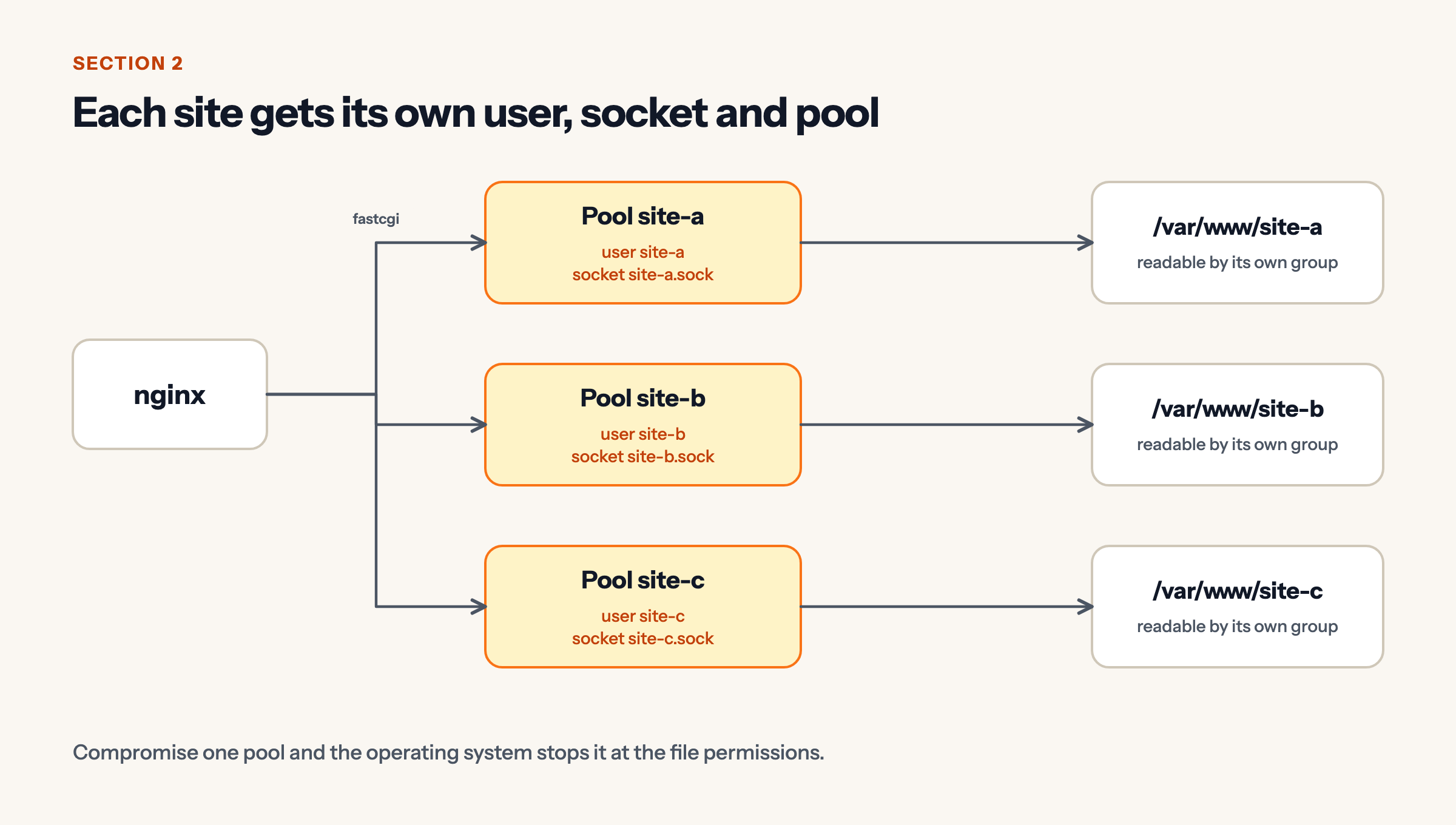
Now a compromised pool is stopped by ordinary file permissions.
3. What goes in a pool file
[site-a]
user = site-a
group = site-a
listen = /run/php/site-a.sock
listen.owner = www-data
listen.group = www-data
listen.mode = 0660
pm = ondemand
pm.max_children = 5
php_admin_value[open_basedir] = /var/www/site-a:/tmp
php_admin_value[disable_functions] = exec,passthru,shell_exec,system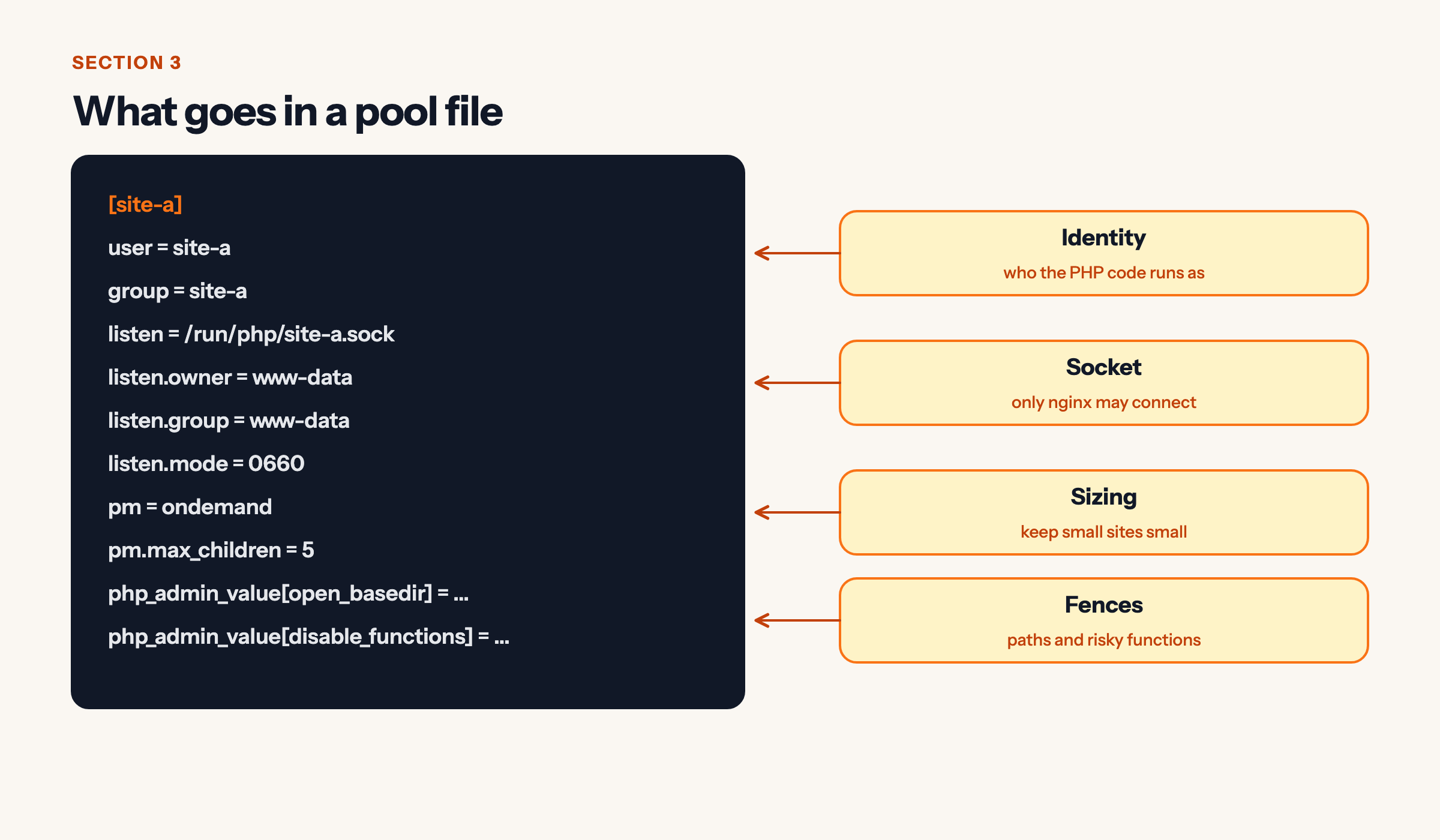
- Identity:
userandgroupdecide who the PHP code runs as. - Socket: owner, group and mode let only nginx connect.
- Sizing:
ondemandwith a smallmax_childrenkeeps quiet sites cheap. - Fences:
open_basediranddisable_functionslimit paths and risky functions. Test each site, since some apps need functions you disabled.
4. Move one site at a time, with a way back
- Snapshot: copy the old config and write a revert script.
- Add the pool: user, group and file.
- Switch nginx: point
fastcgi_passat the new socket. - Test and reload:
nginx -t,php-fpm -t, then reload.
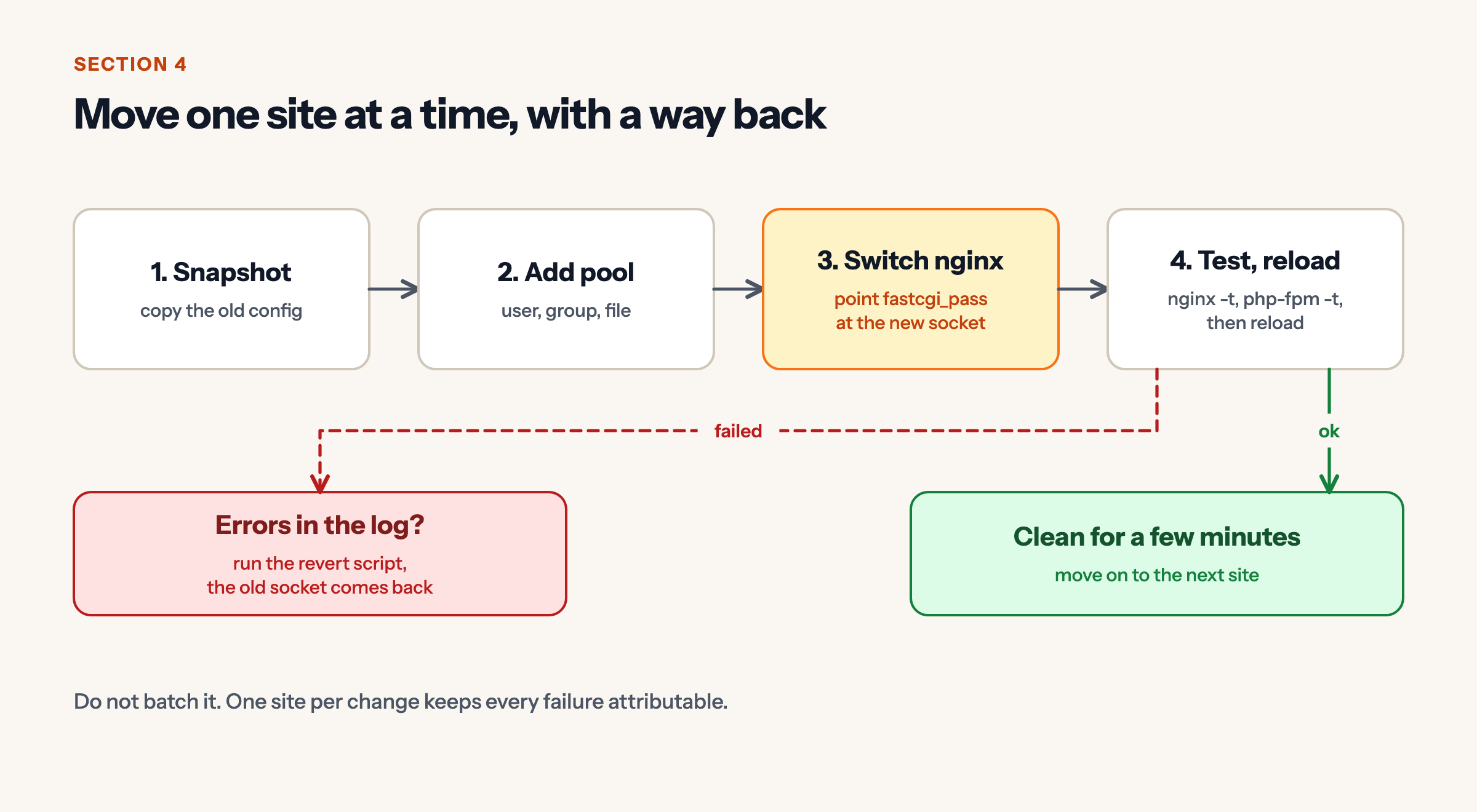
If the log shows errors, run the revert script and the old socket comes back. If it stays clean for a few minutes, move to the next site. Do not batch, because one site per change keeps every failure attributable.
5. Files, deploys and cron must use the same user
Web requests run as the pool user. Scheduled jobs should run as that same user via a cron.d entry. Deploy scripts should fix ownership after they run. Directories that need group writes should be setgid.
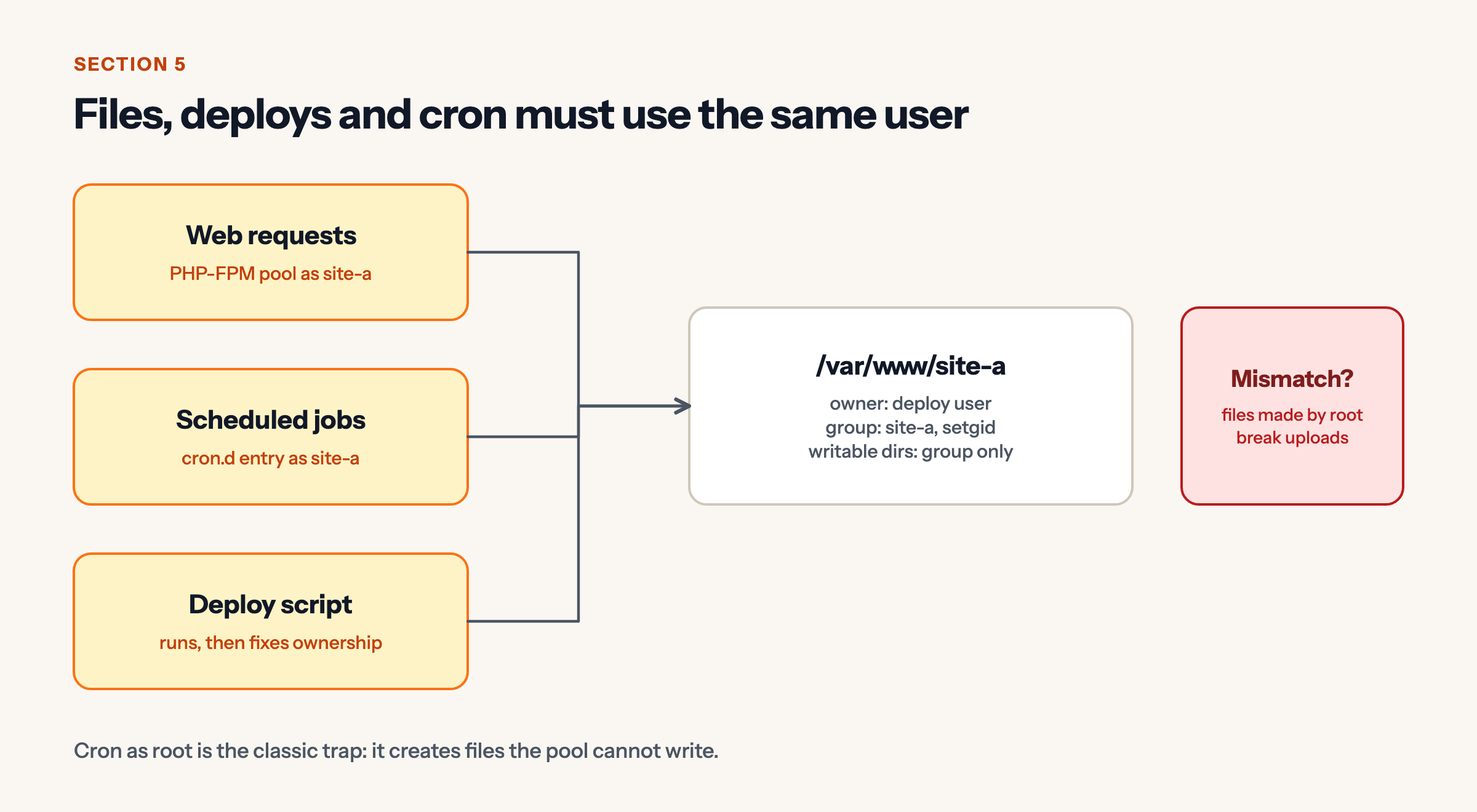
Cron as root is the classic trap: it creates files the pool cannot write, and uploads start failing.
6. What changes when one site is compromised
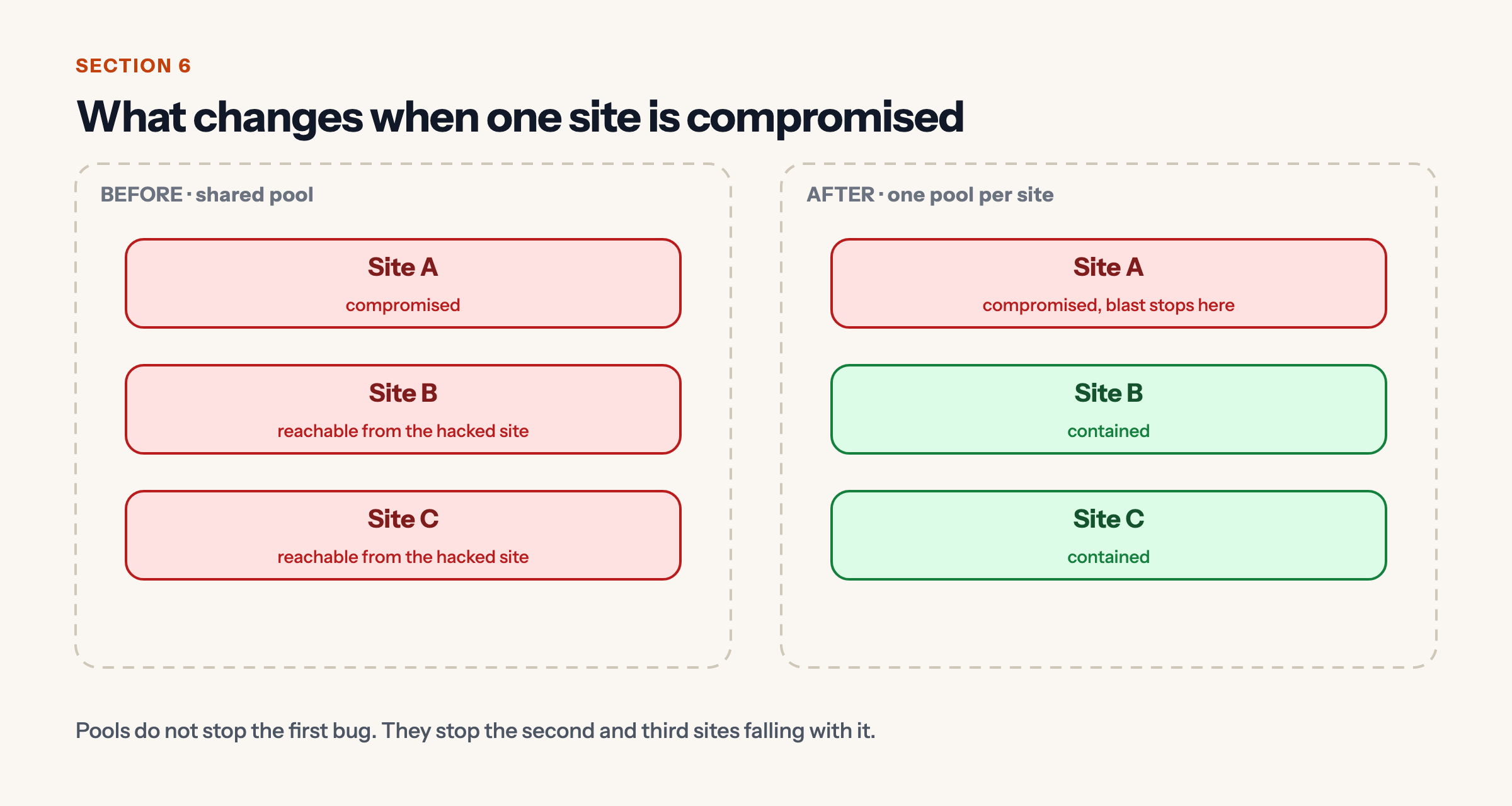
Pools do not stop the first bug. They stop the second and third sites falling with it.
Takeaways
- One pool per site, each with its own user and socket.
- Lock file permissions to the site’s group.
- Migrate one site at a time with a revert script.
- Align cron, deploys and the pool on one user.
Sources
- PHP manual, FPM configuration.


