
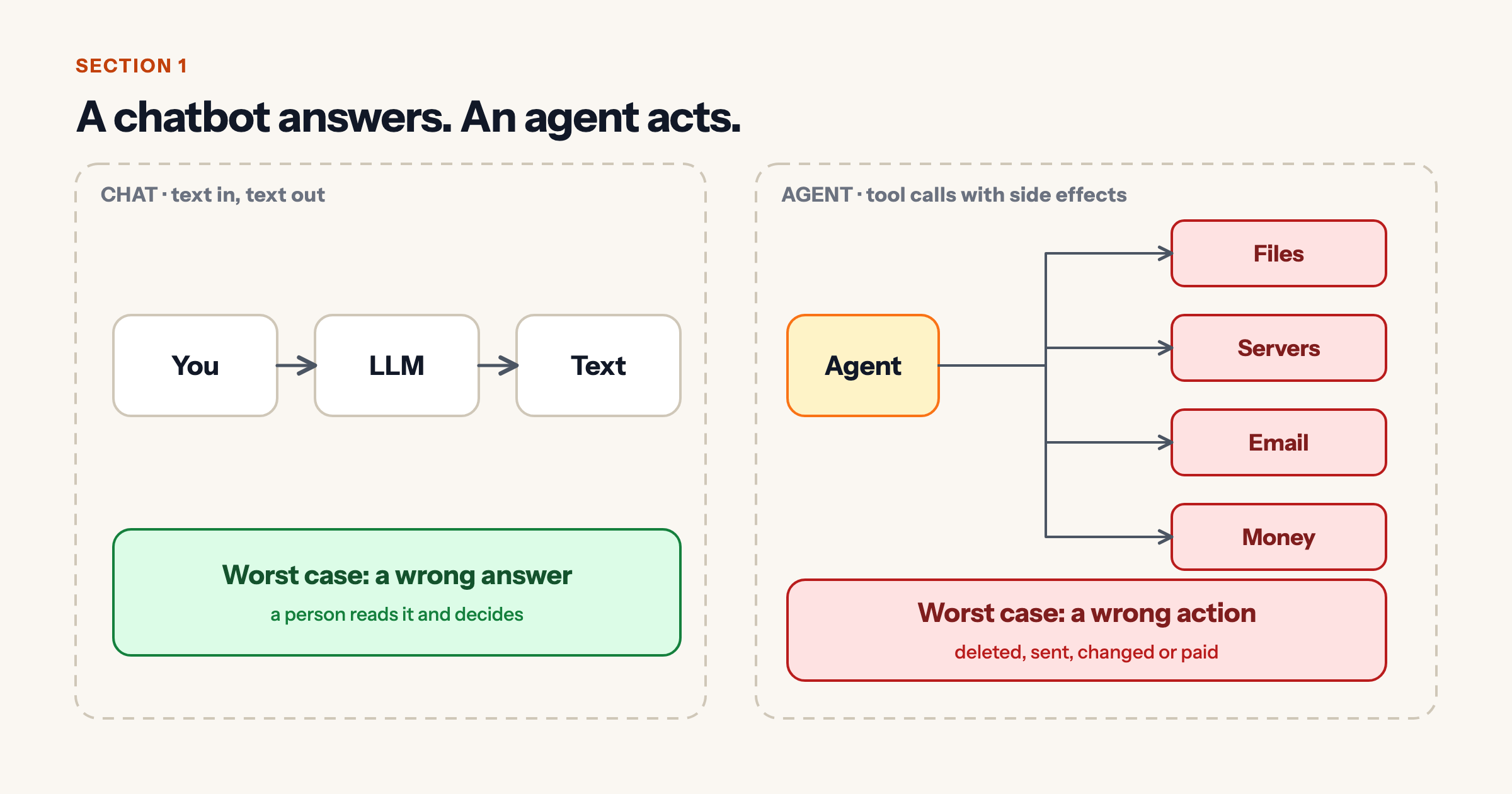
A chatbot gives you words. An agent gives you actions, and actions have side effects. That changes the security question from “is the answer right?” to “what can this thing do when it is wrong?”
1. A chatbot answers. An agent acts.
In chat, the worst case is a wrong answer that a person reads and judges. With an agent, the worst case is a wrong action: a file deleted, an email sent, a payment made.
2. Where an agent gets attacked
An agent reads untrusted content (web pages, email, shared documents, tool output) and then acts on powerful systems (shell, databases, cloud APIs, email). Attackers aim at the gap between the two.
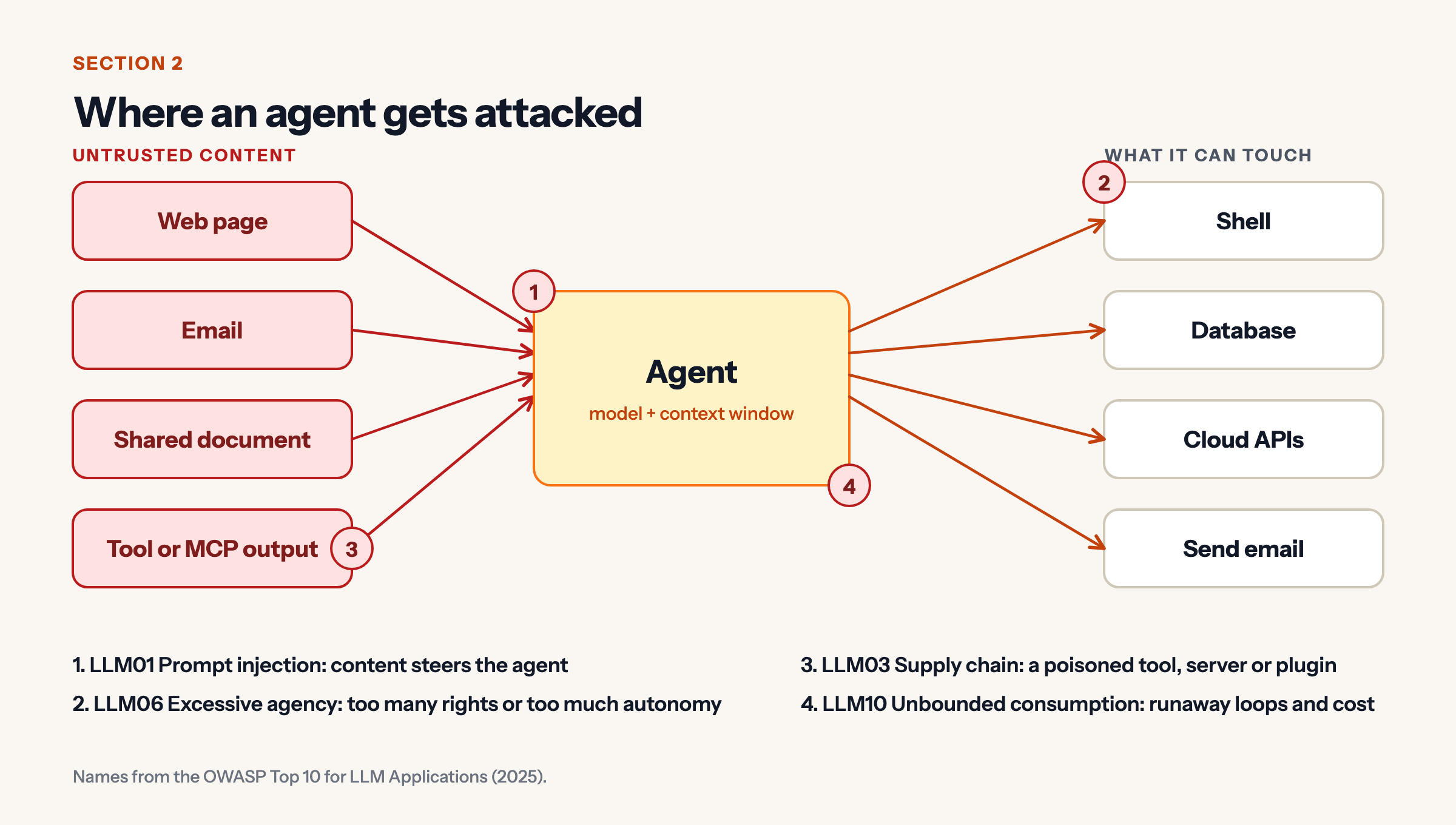
The OWASP Top 10 for LLM Applications (2025) names the risks that matter most here:
- LLM01 Prompt injection: content steers the agent.
- LLM06 Excessive agency: too many rights or too much autonomy.
- LLM03 Supply chain: a poisoned tool, server or plugin.
- LLM10 Unbounded consumption: runaway loops and cost.
3. Every action passes through the same checkpoints
Do not rely on the model to behave. Put checkpoints outside it.
- Identity: the agent gets its own account, not yours.
- Policy gate: scoped permissions, and each action is allowed, sent to a human, or denied.
- Sandbox: limited files, network and time.
- Audit log: who, what, when and why, append-only.
- Kill switch: one step that stops the agent.
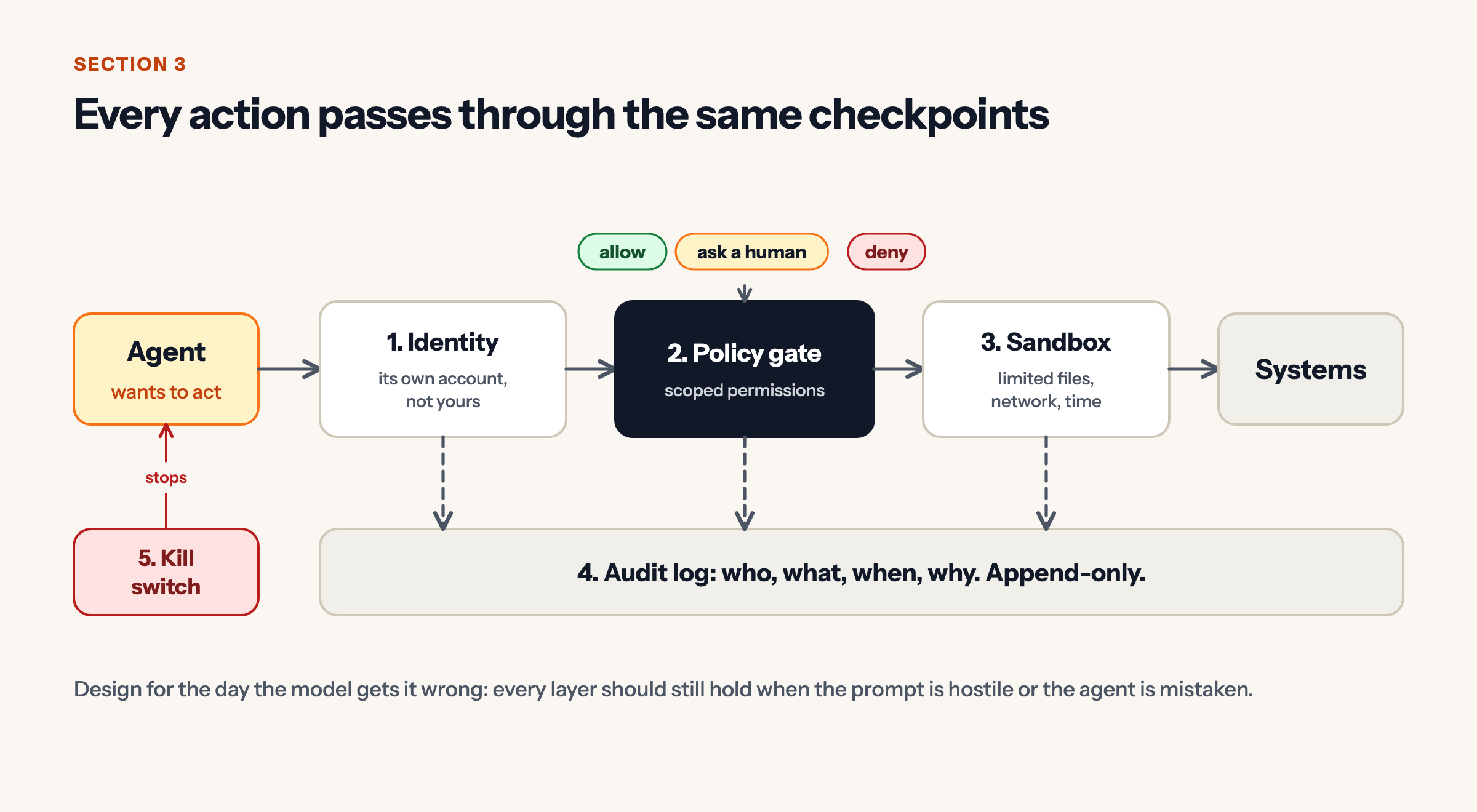
Design for the day the model is wrong. Every layer should still hold when the prompt is hostile or the agent is mistaken.
4. Approval should scale with risk
Not every action needs a person.
- Read-only (list files, read logs, run tests): auto-approve.
- Reversible changes (edit a config after a backup, restart a service with a health check and auto-revert): auto, with a safety net.
- Destructive or shared (delete data, rotate secrets, touch another tenant, spend money, change permissions or firewalls): a human approves.
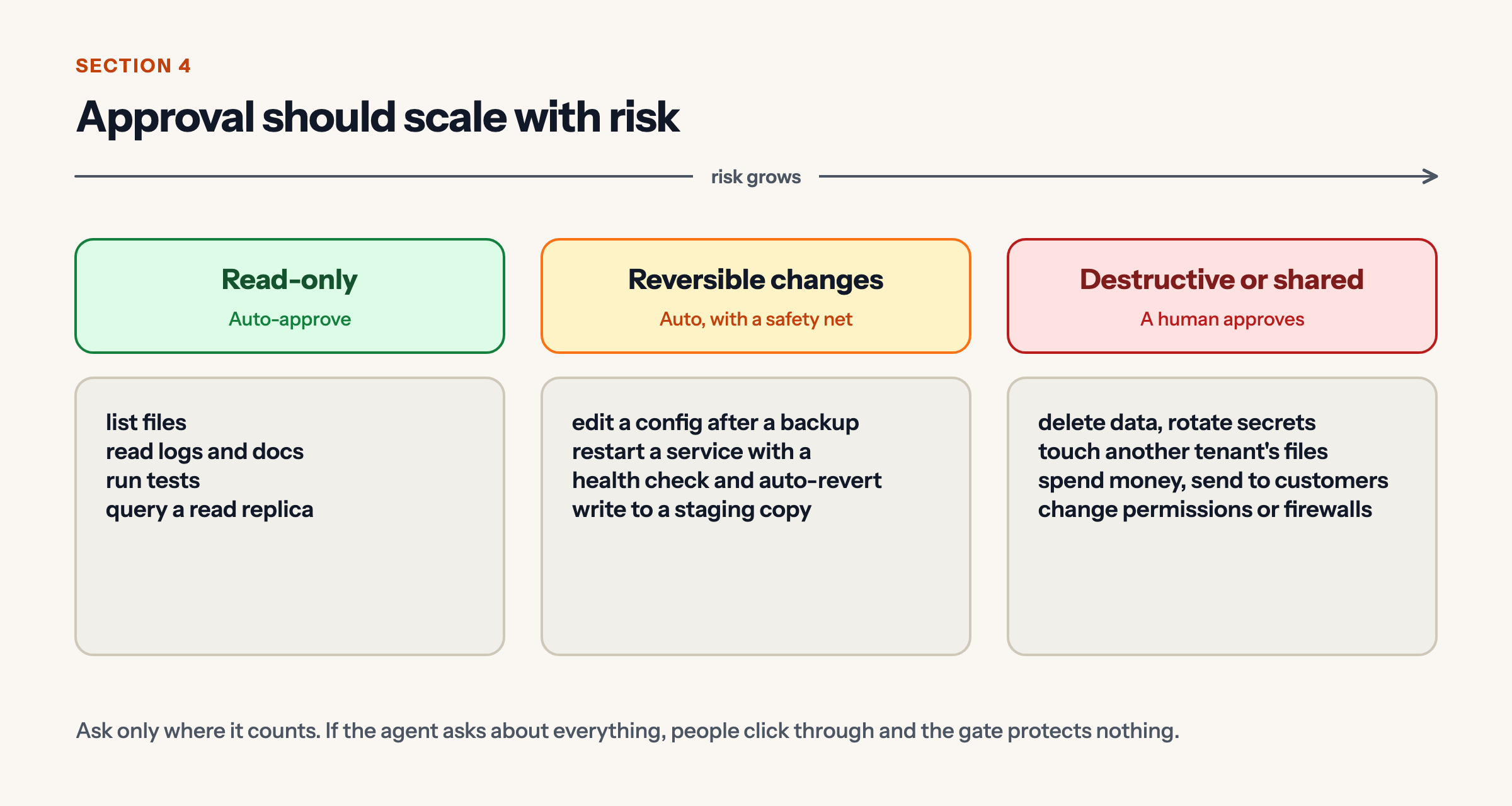
Ask only where it counts. If the agent asks about everything, people click through and the gate protects nothing.
5. Make mistakes cheap: snapshot, change, verify, revert
Take a snapshot and write a revert script. Make one small change. Verify with health checks against real URLs. If healthy, keep it and log it. If not, auto-revert and alert.
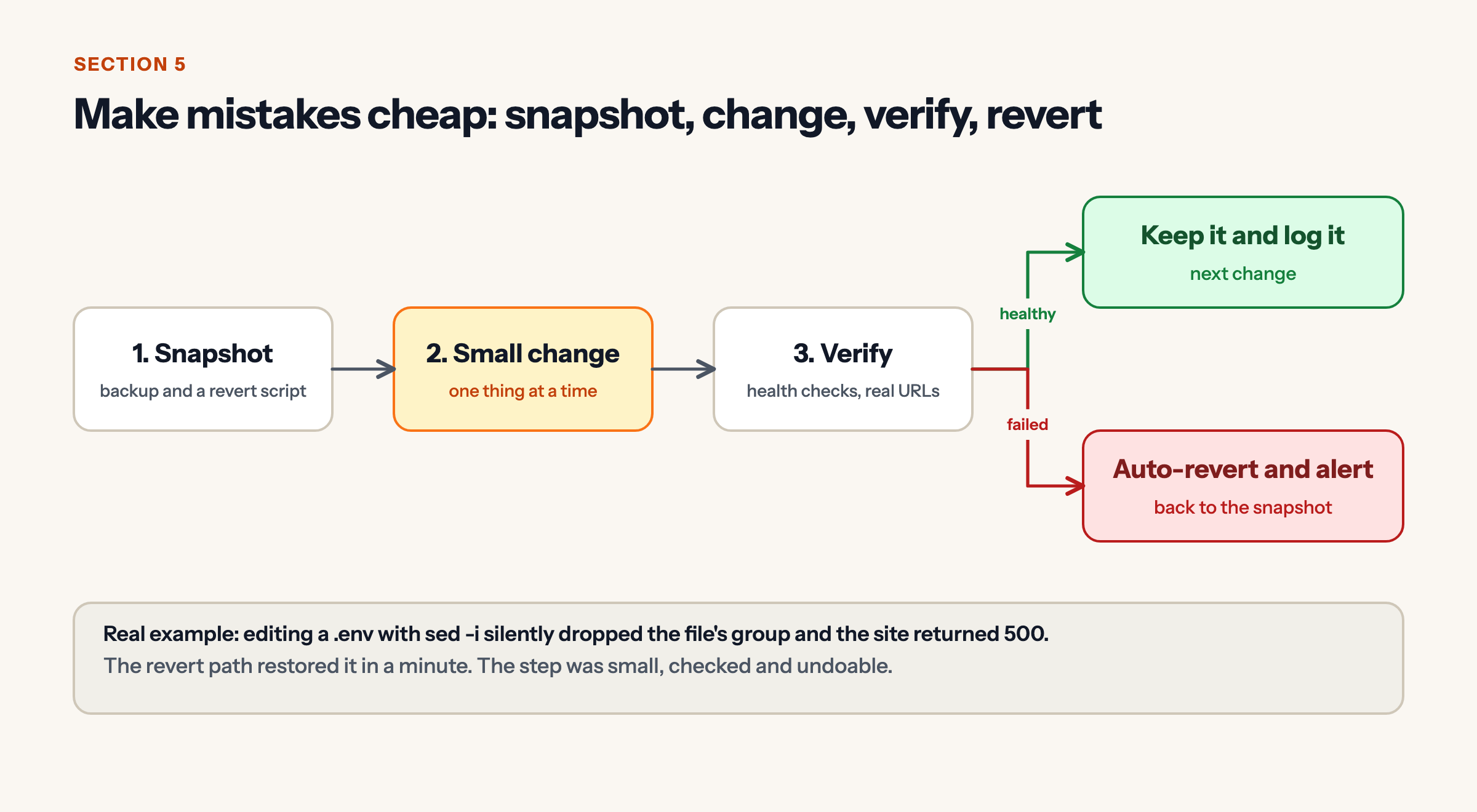
A real example from our own server work: editing a .env with sed -i silently dropped the file’s group and the site returned 500. The revert path restored it within a minute. The lesson is not that the agent erred. It is that the step was small, checked and undoable.
6. Govern with data: review, tighten, repeat
Log every call: tool, arguments, result, approval and cost. Review weekly. Adjust policy, then redeploy it versioned like code.
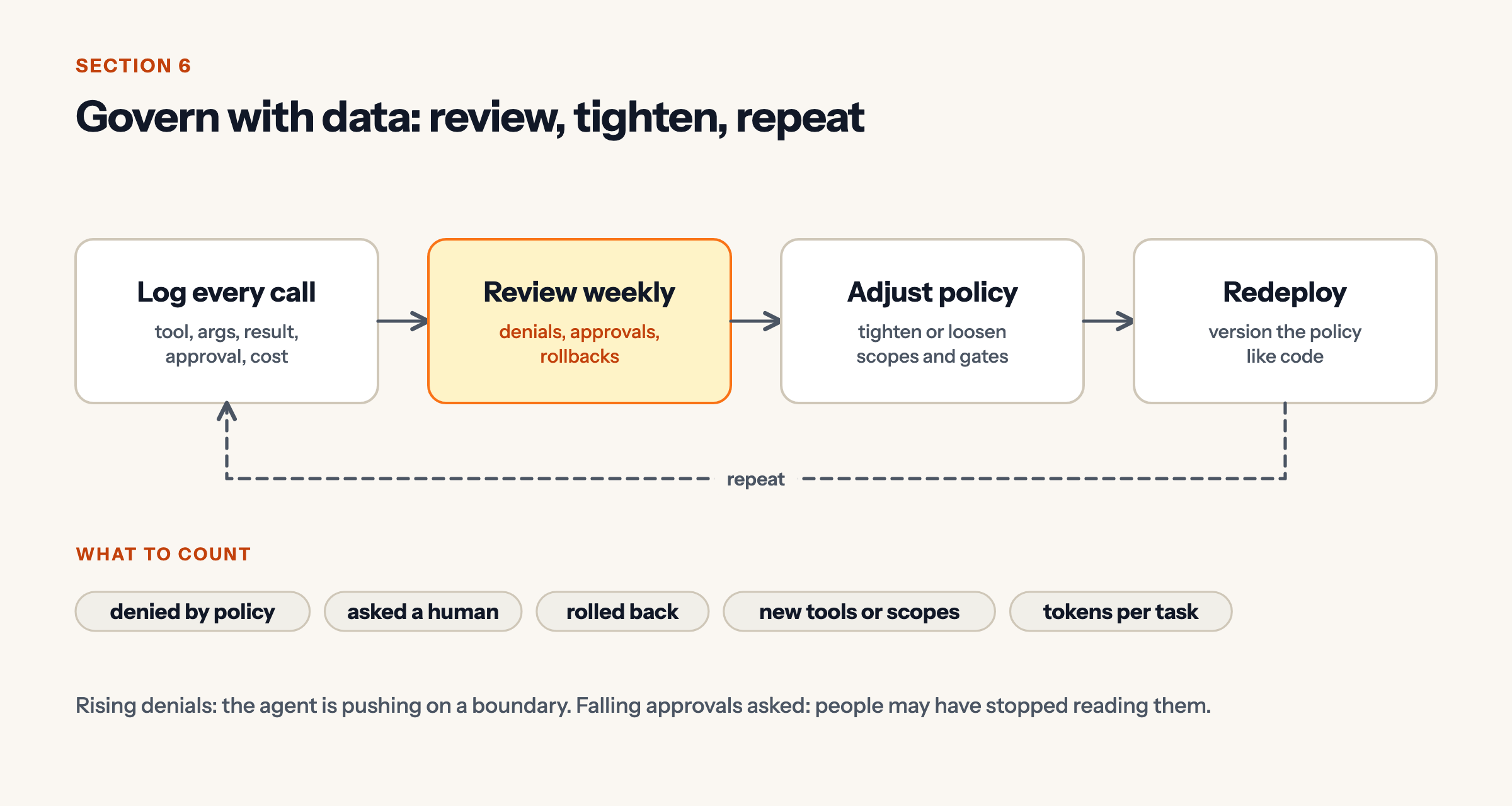
Count denials, human approvals, rollbacks, new tools or scopes, and tokens per task. Rising denials mean the agent is pushing on a boundary. Falling approvals may mean people stopped reading them.
Checklist
- Separate identity for every agent.
- Least-privilege scopes, deny by default.
- Untrusted content is data, never instructions.
- Humans approve destructive and shared actions.
- Snapshot, verify, auto-revert.
- Append-only audit log and a tested kill switch.
Sources
- OWASP Top 10 for LLM Applications (2025).


