
Picture a travel drawer. One charger for each country, one for the camera, one for the phone you swore you would stop carrying. Every time you buy a new gadget, you add another cable.
Building with language models feels like that drawer. This guide shows you the universal adapter, and how to try it without paying anything.
1. The drawer of chargers
Say you want to compare four models from four companies. That means four sign-ups, four API keys, four bills and four slightly different SDKs. Switching to a new model next month means doing it all again.

2. The adapter: one endpoint, one key
OpenRouter is that adapter. Its own docs describe it as access to hundreds of models through a single API endpoint. You keep one account, one key and one bill. The model field in your request decides who answers.
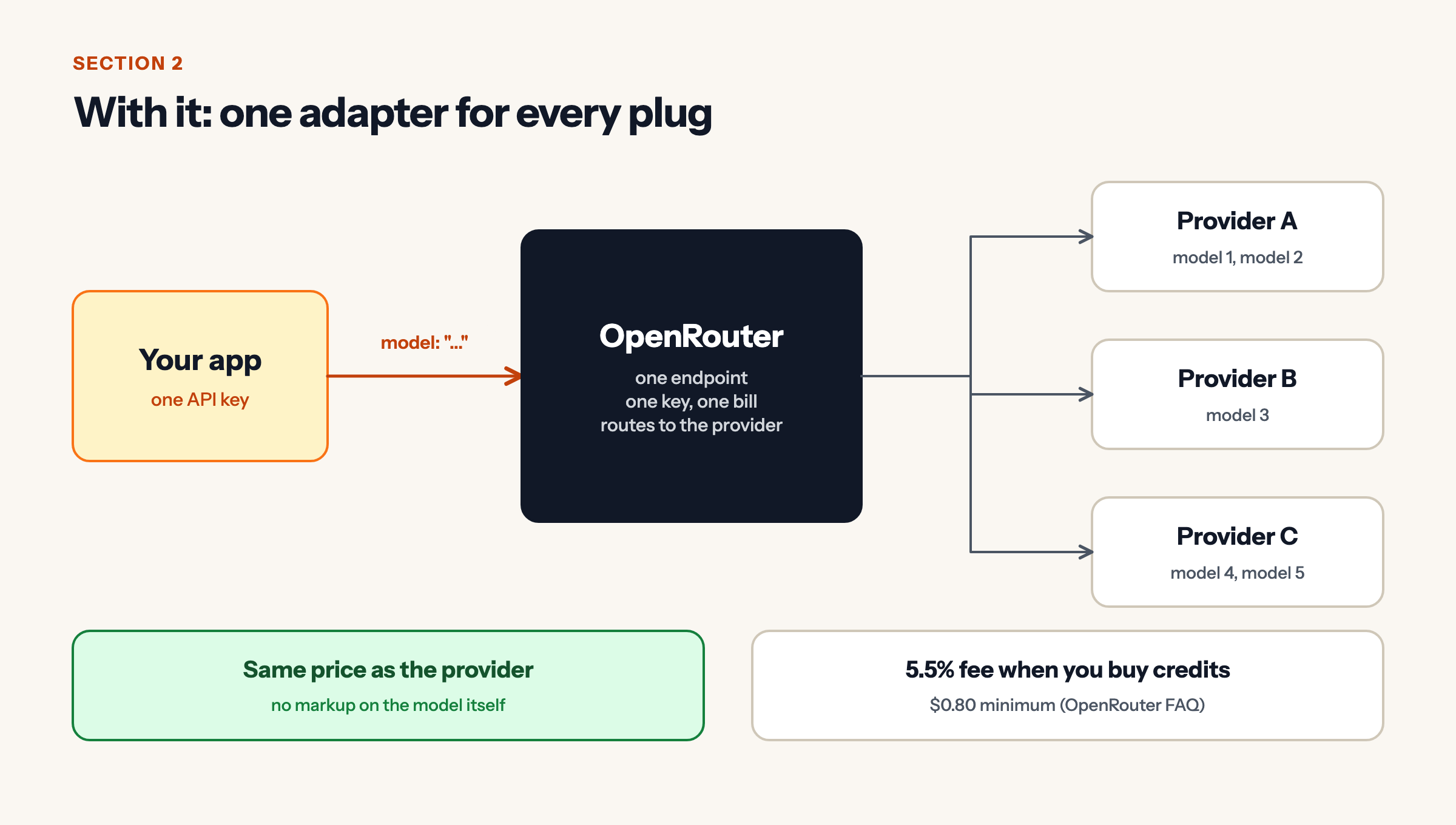
On cost, OpenRouter says it passes provider prices through without markup. It charges a 5.5% fee (minimum $0.80) when you buy credits. When we checked on 18 November 2026, its public model list had 478 entries.
3. Get a key in four steps
Sign up, create an API key in your account settings, and save it as an environment variable called OPENROUTER_API_KEY. Never paste it into your code or a repository. If a key leaks, delete it in the dashboard and make a new one.
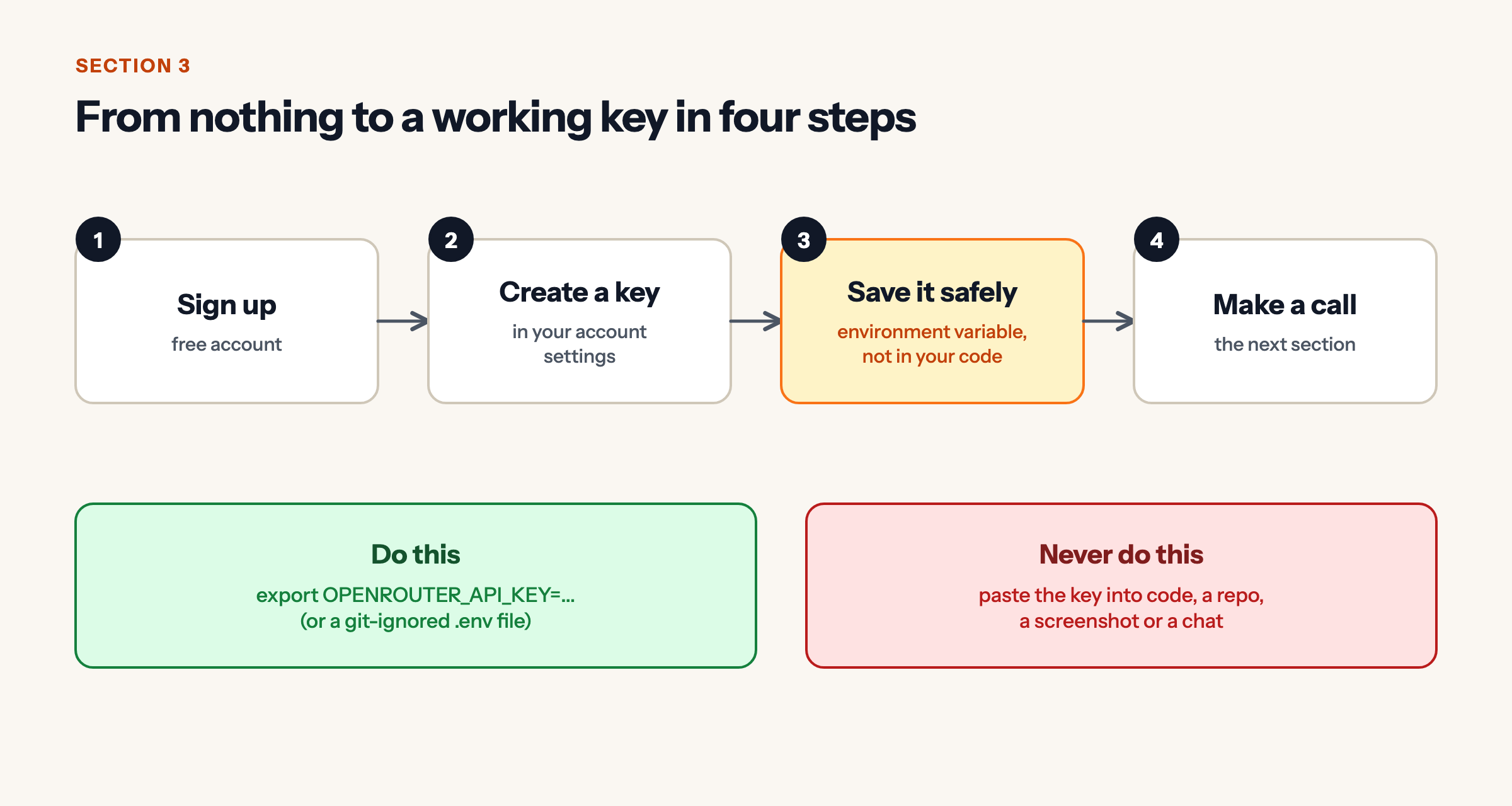
export OPENROUTER_API_KEY="paste-your-key-here"4. Your first call
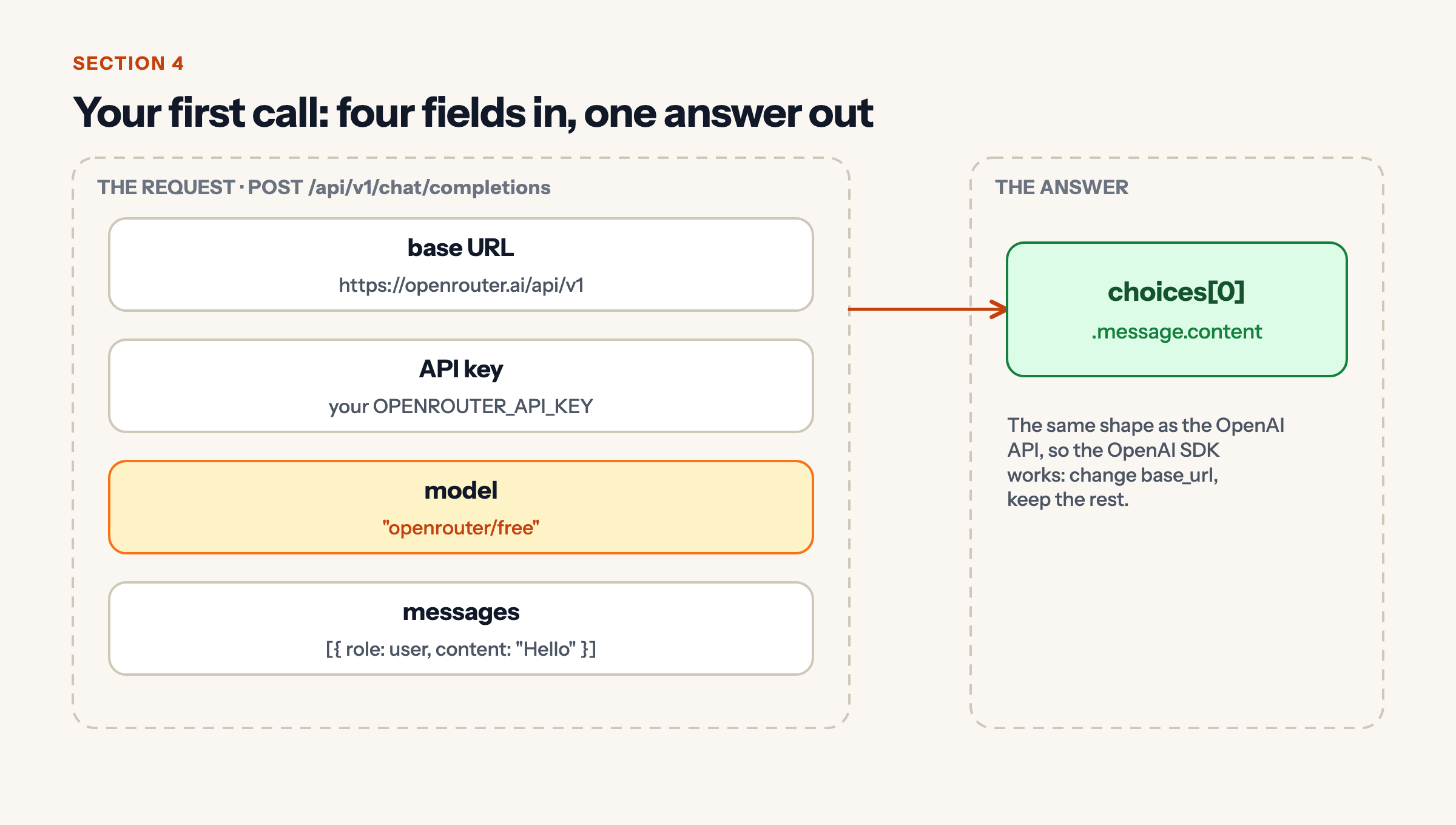
OpenRouter speaks the same language as the OpenAI API, so the OpenAI Python SDK works. You change only the base URL.
import os
from openai import OpenAI

client = OpenAI(
    base_url="https://openrouter.ai/api/v1",
    api_key=os.environ["OPENROUTER_API_KEY"],
)

reply = client.chat.completions.create(
    model="openrouter/free",
    messages=[{"role": "user", "content": "Explain APIs to a ten-year-old."}],
)
print(reply.choices[0].message.content)
The model name openrouter/free is a router that picks one of the free models for you. The answer lives at choices[0].message.content. This code follows OpenRouter’s documentation; run it with your own key and tell us what you get.
5. So, can I use open models for free?
Yes, within limits. Models whose name ends in :free cost nothing to call. When we checked, 14 of them were listed, including Google’s open-weight Gemma 4 family. The free list changes, so ask the API instead of trusting a blog post (including this one):
curl -s https://openrouter.ai/api/v1/models \
  | python3 -c "import sys,json; [print(m['id']) for m in json.load(sys.stdin)['data'] if m['id'].endswith(':free')]"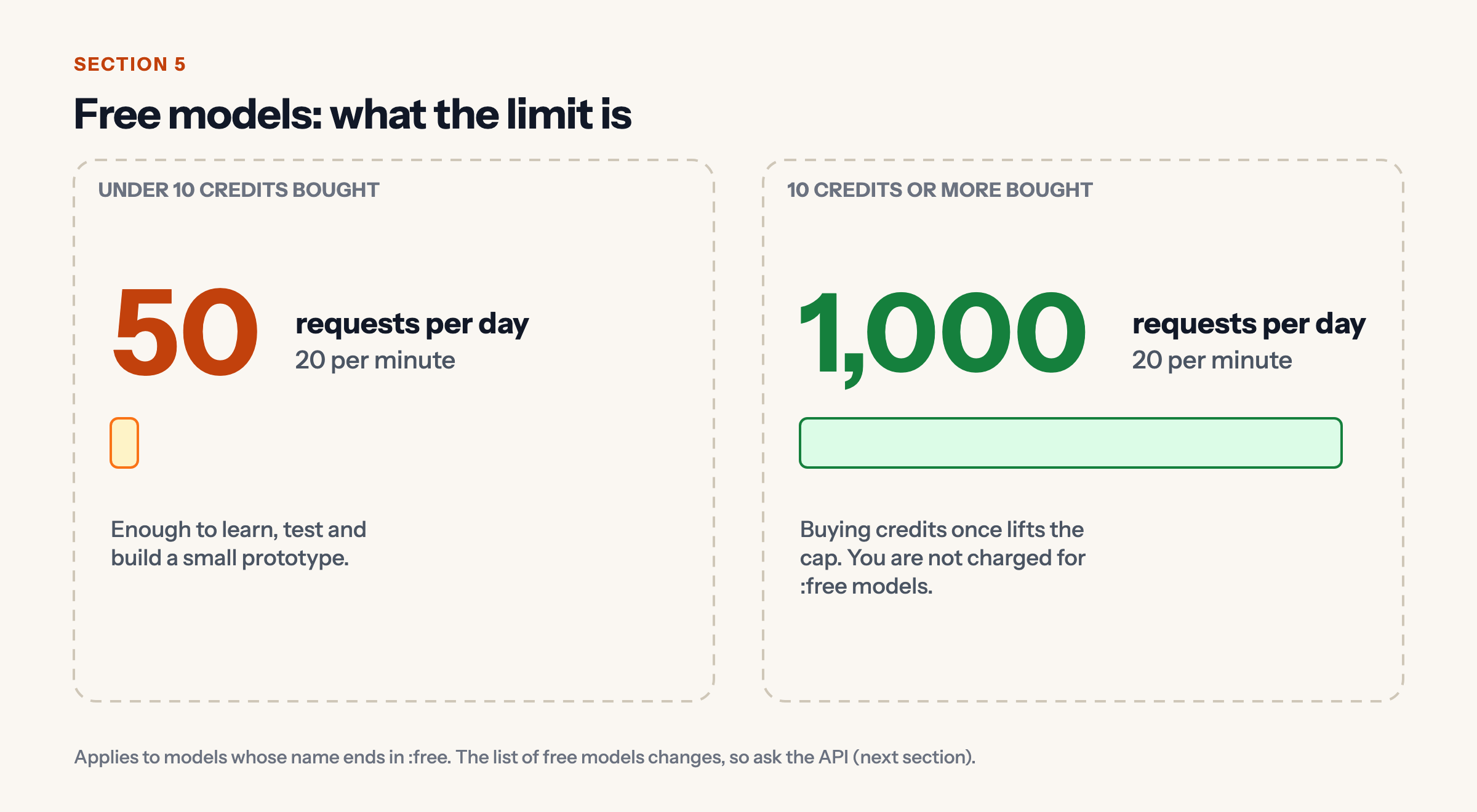
The limits, per OpenRouter’s docs: 20 requests per minute, and 50 per day until you have bought at least 10 credits, after which the daily cap rises to 1,000. That is plenty for learning and a prototype, and not enough for a busy product.
Two honest warnings. Free models can be slower or busier than paid ones. And OpenRouter says it does not log your prompts by default, but the company running a free model has its own policy, so check your privacy settings and keep secrets out of prompts.
6. Swap models, and survive a bad day
To try another model, change one string. Replace openrouter/free with google/gemma-4-31b-it:free, or with a paid model, and nothing else in your code moves.
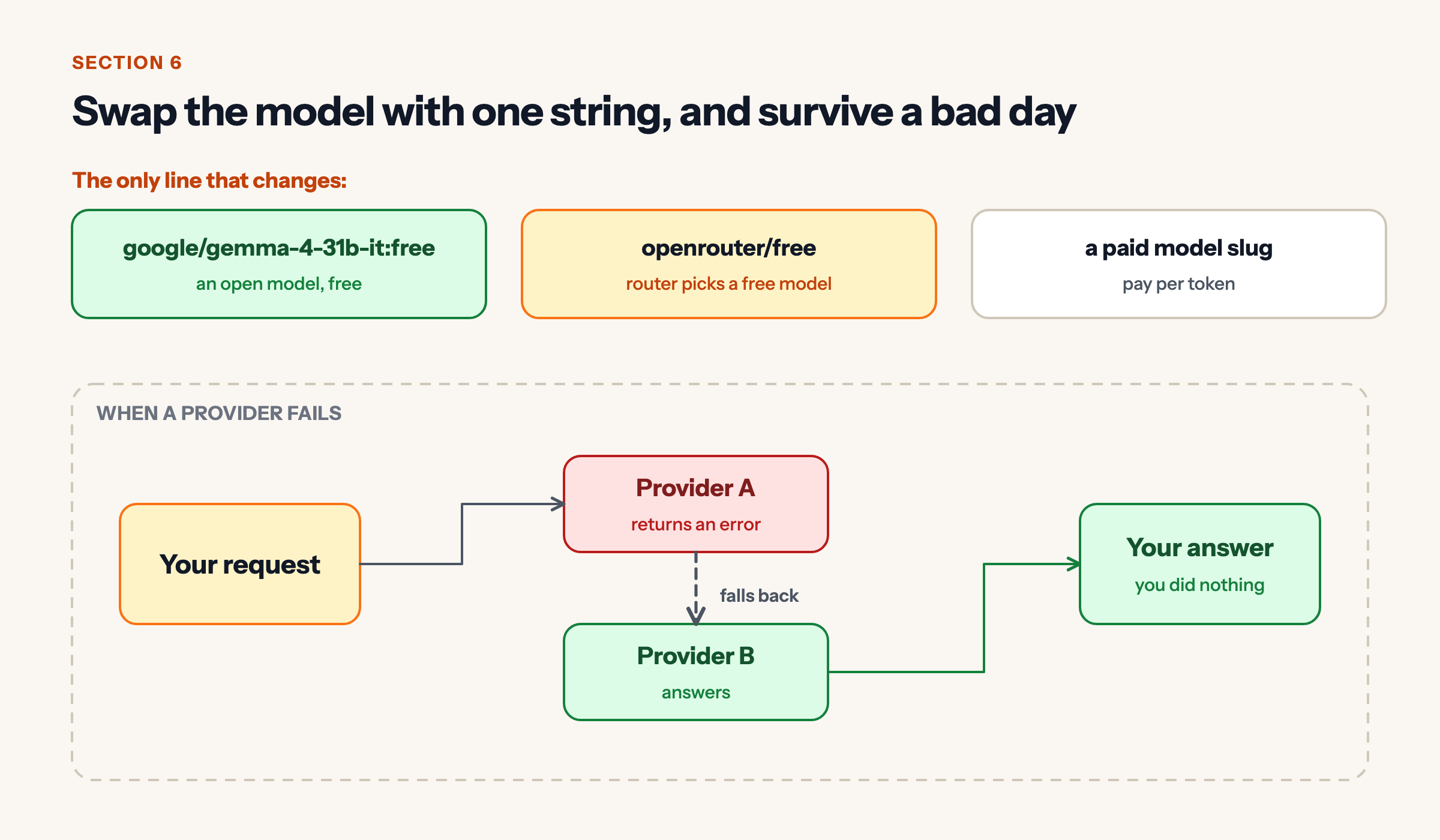
If a provider returns an error, OpenRouter’s FAQ says it falls back to the next provider on its own. Suffixes such as :nitro (fastest) and :floor (cheapest) let you steer that choice.
Takeaways
- OpenRouter is one endpoint, one key and one bill for hundreds of models.
- It works with the OpenAI SDK: change the base URL and the model name.
:freemodels are free, capped at 20 requests a minute and 50 a day (1,000 after buying 10 credits).- Keep your key in an environment variable, and keep secrets out of prompts.
- Next step: pick two free models, ask both the same question, and compare the answers.
Sources
- OpenRouter documentation: Quickstart, API reference (chat completions), Limits, FAQ (checked 18 November 2026).
- OpenRouter public model list,
https://openrouter.ai/api/v1/models(checked 18 November 2026).


Leave a Reply