A variable is a name for a value, so you can use the value again without typing it out. In Rust you make one with let.
fn main() {
    let name = "Asha";
    let coins = 3;
    println!("{name} has {coins} coins.");
}Expected output
Asha has 3 coins.
let name = "Asha"; means: make a variable called name and put "Asha" in it. After that, every time you write name, Rust uses "Asha".
A locked box by default
Here is the surprise that makes Rust different from most languages: a variable cannot change after you create it. Think of it as a box with a lock. You put the value in, and the box locks.
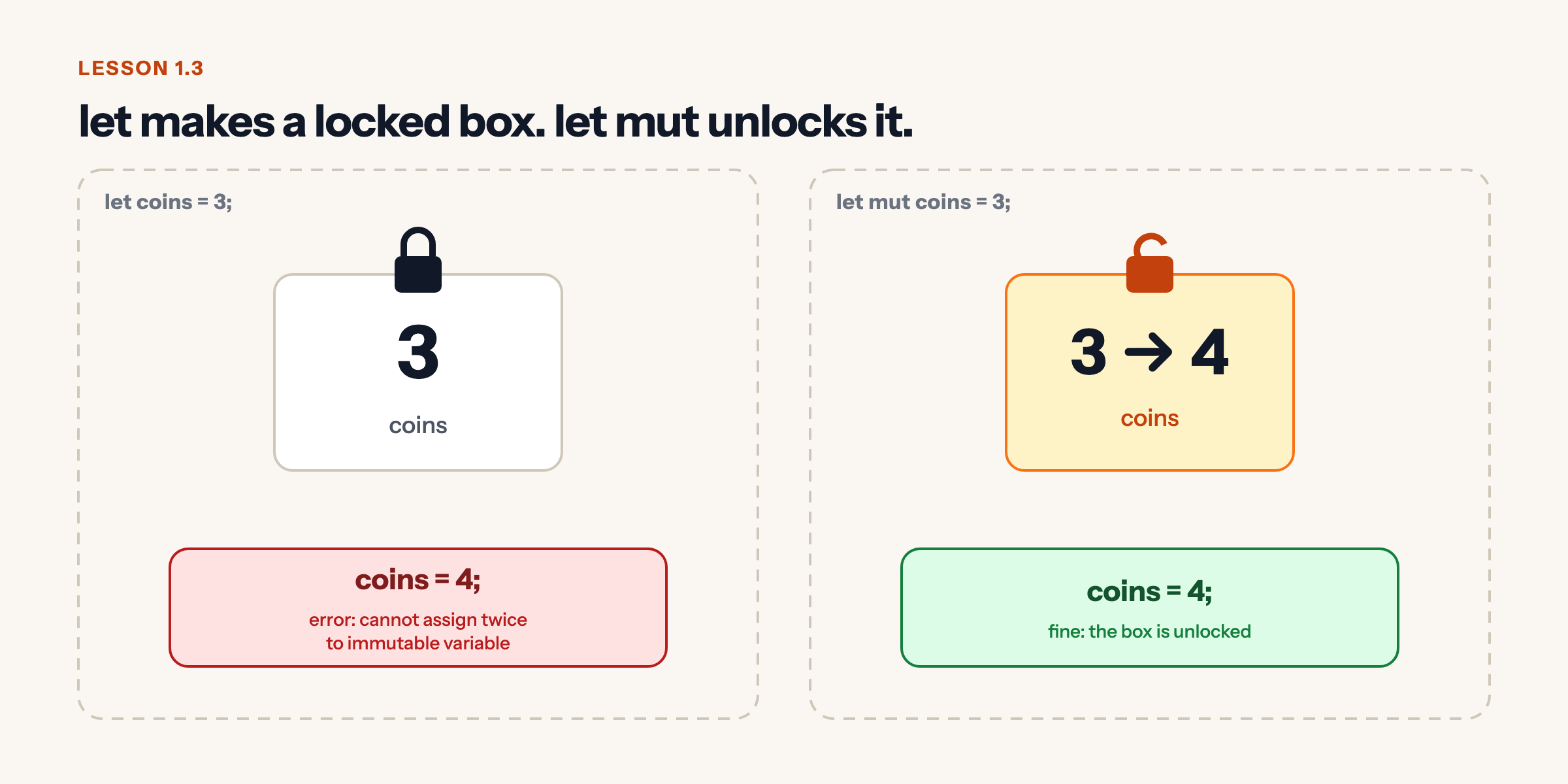
Why lock it? Because most values in a program should not change, and when one changes by accident it causes the kind of bug that takes hours to find. Rust makes you say out loud which values are allowed to change. Then anyone reading the code, including future you, knows exactly where to look.
Watch what happens when we try to change a locked variable:
Fix the bug
This program does not compile. Read the error, change the code, and run it until it works.
fn main() {
    let coins = 3;
    println!("Coins: {coins}");
    coins = 4;
    println!("Coins: {coins}");
}What the compiler says
error[E0384]: cannot assign twice to immutable variable `coins`
 --> src/main.rs:4:5
  |
2 |     let coins = 3;
  |         ----- first assignment to `coins`
3 |     println!("Coins: {coins}");
4 |     coins = 4;
  |     ^^^^^^^^^ cannot assign twice to immutable variable
  |
help: consider making this binding mutable
  |
2 |     let mut coins = 3;
  |         +++
Hint
The compiler tells you exactly what to add, and where. A variable that can change is declared with let mut.
Show the fix
fn main() {
    let mut coins = 3;
    println!("Coins: {coins}");
    coins = 4;
    println!("Coins: {coins}");
}
It prints
Coins: 3
Coins: 4
Unlock it with mut
Add mut (short for mutable, meaning changeable) and the box is unlocked. Now you can put a new value in with =.
fn main() {
    let mut score = 0;
    println!("Start: {score}");
    score = score + 10;
    println!("After a coin: {score}");
    score += 5;
    println!("After a bonus: {score}");
}Expected output
Start: 0
After a coin: 10
After a bonus: 15
score += 5 is a shortcut for score = score + 5. You will see it a lot.
Predict, then check
Predict the output
What will this program print?
fn main() {
    let mut lives = 3;
    println!("Lives: {lives}");
    lives -= 1;
    println!("Lives: {lives}");
}Show the real output
Lives: 3
Lives: 2
lives starts at 3. Taking 1 away makes it 2, and the second println! shows the new value. The first line was already printed, so it still shows 3.
Shadowing: a new box with the same name
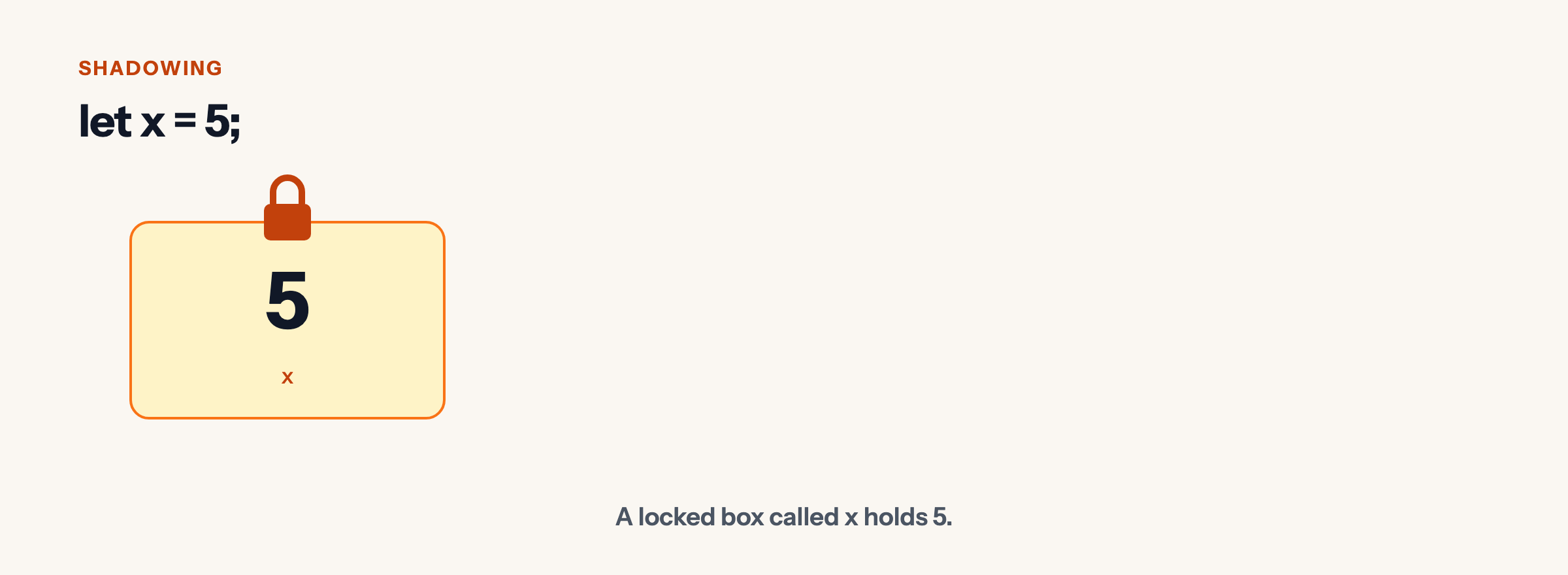
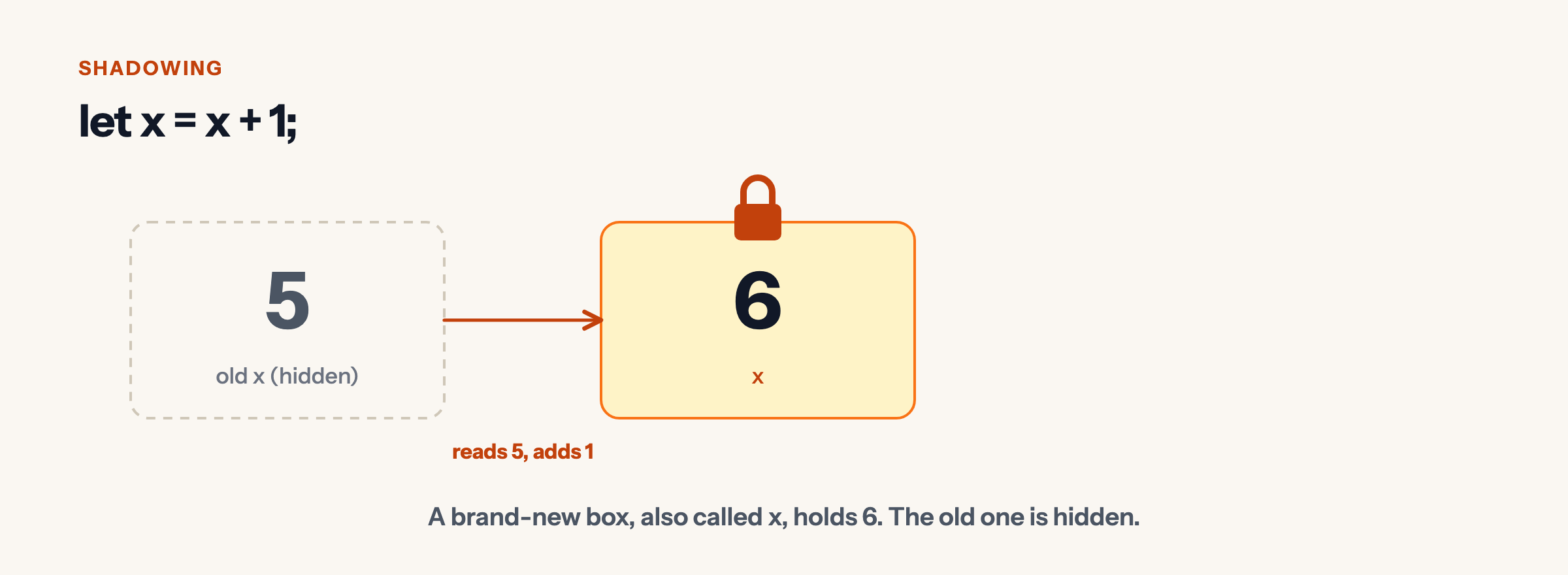
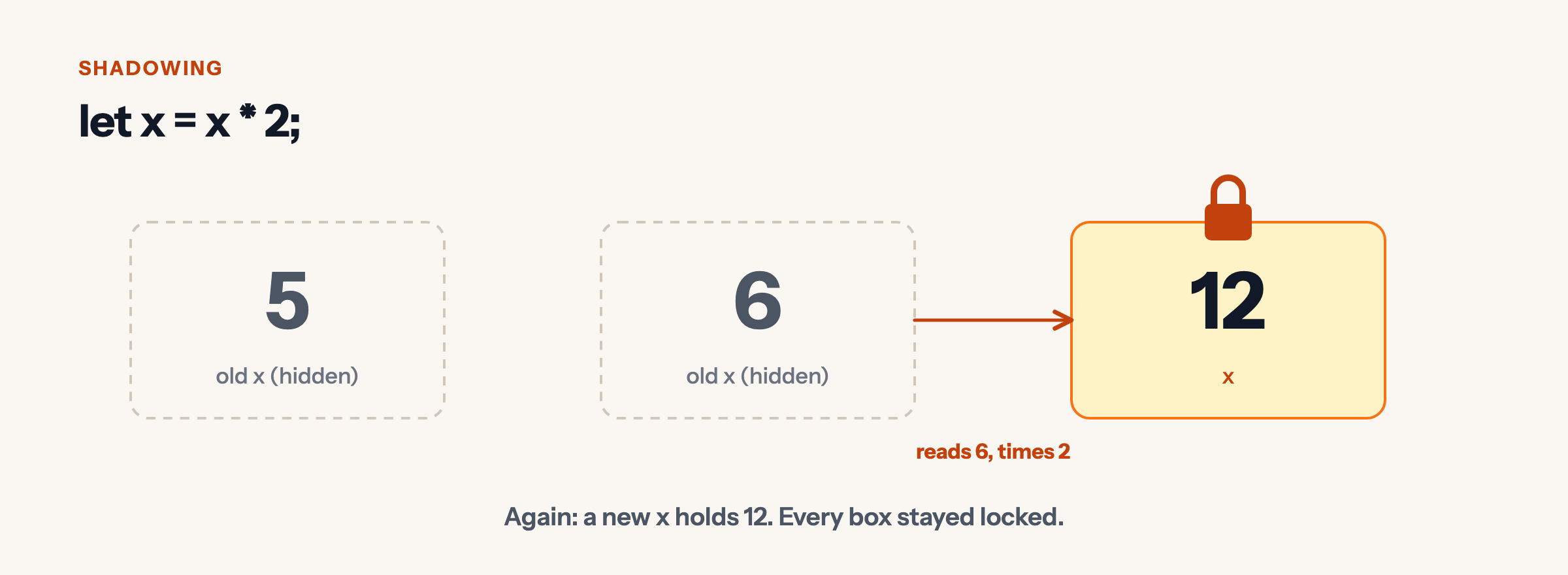
Rust has one more trick. You can make a new variable with the same name using let again. The new one hides, or shadows, the old one. Step through it:
Shadowing, one line at a time
fn main() {
    let x = 5;
    let x = x + 1;
    let x = x * 2;
    println!("x is {x}");
}Expected output
x is 12
Shadowing is handy when you want to transform a value in steps but keep a simple name, and still keep each step locked.
Types: what kind of value is in the box
Every value has a type. 3 is a whole number, "Asha" is text. Rust usually works out the type for you, but you can write it after a colon:
fn main() {
    let age: u32 = 30;
    let height: f64 = 1.68;
    let name: &str = "Asha";
    let is_ready: bool = true;
    println!("{name}, {age}, {height} m, ready: {is_ready}");
}Expected output
Asha, 30, 1.68 m, ready: true
u32is a whole number that cannot be negative.f64is a number with a decimal point.&stris a piece of text. (The&has a story; it is the star of Module 4.)boolistrueorfalse.
You do not need to memorise these yet. Module 2 covers them properly.
Quick check
Quick check
-
Plain let variables are locked. Rust catches the change before the program ever runs, and tells you to use let mut.
-
mut goes after let, before the name.
-
The second let makes a new variable called a that shadows the first. It reads the old a (2) and adds 3.
Recap
let name = value;makes a variable. It is locked: it cannot change.let mut name = value;makes a variable you can change with=or+=.letwith the same name again shadows the old variable with a new one.- Types like
u32,f64,&strandboolsay what kind of value a variable holds.
Next: you know enough to start a real project. In the next lesson you will begin building a text adventure game that grows with every module.
Leave a Reply