In the last lesson println! printed fixed text. Real programs print values: a score, a name, the answer to a sum. Rust does this with placeholders, little {} blanks that get filled in.
fn main() {
    println!("I am {} years old.", 30);
    println!("2 + 3 = {}", 2 + 3);
}Expected output
I am 30 years old.
2 + 3 = 5
Run it, then change 30 to your age and run it again.
How placeholders fill in
Each {} is a blank. After the text, you list the values to put in the blanks, separated by commas. The first value goes into the first {}, the second into the second, and so on.
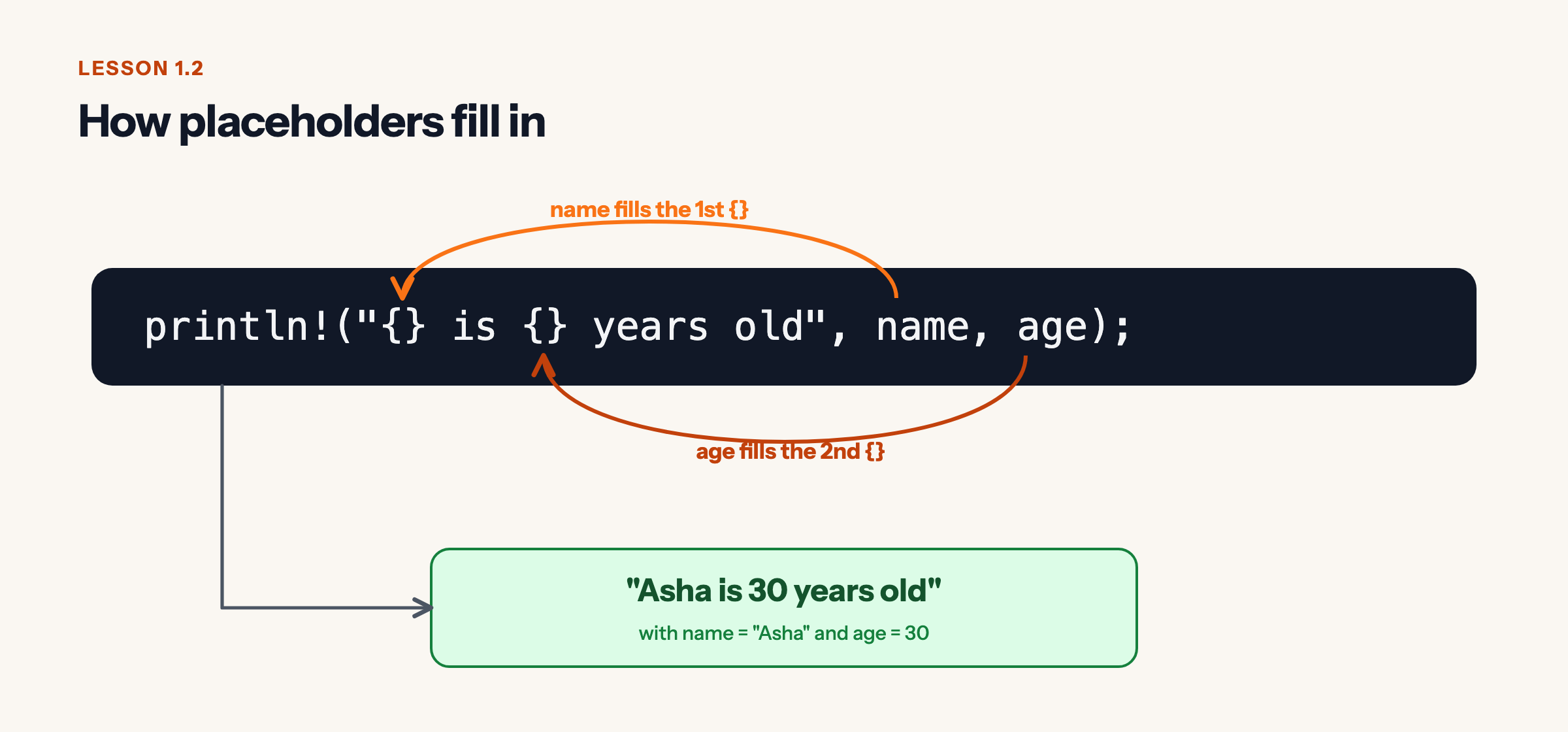
Notice the second line in the program: Rust worked out 2 + 3 first, and then printed the answer, 5. Anything that produces a value can go in a blank.
Predict, then check
Predict the output
What will this program print?
fn main() {
    println!("{} found {} coins worth {} points", "Asha", 3, 3 * 10);
}Show the real output
Asha found 3 coins worth 30 points
The values fill the blanks left to right. "Asha" goes in the first {}, 3 goes in the second, and 3 * 10 is worked out to 30 before it goes in the third.
Three tricks you will use every day
1. Put the name right inside the blank. Once you have a value with a name (you will learn to make these in the next lesson), you can write the name inside the braces. It is easier to read than counting commas.
fn main() {
    let player = "Asha";
    let coins = 3;
    println!("{player} has {coins} coins.");
}Expected output
Asha has 3 coins.
2. Print a curly brace. Because { starts a blank, you write {{ to print a real {, and }} for }.
fn main() {
    println!("In Rust, {{}} is a placeholder.");
}Expected output
In Rust, {} is a placeholder.
3. Line things up. Put a width after a colon, like {:>6}, and Rust pads the value to 6 characters, lined up on the right. This makes neat tables.
fn main() {
    println!("{:<8}{:>6}", "Item", "Price");
    println!("{:<8}{:>6}", "Apple", 40);
    println!("{:<8}{:>6}", "Mango", 120);
}Expected output
Item     Price
Apple       40
Mango      120
< lines up on the left, > on the right. Try changing the widths and see what happens.
Fix the bug
This program has one blank too few. Read the error, then fix it so it prints both values.
Fix the bug
This program does not compile. Read the error, change the code, and run it until it works.
fn main() {
    println!("Score: {}", 120, 3);
}What the compiler says
error: argument never used
 --> src/main.rs:2:32
  |
2 |     println!("Score: {}", 120, 3);
  |              -----------       ^ argument never used
  |              |
  |              formatting specifier missing
Hint
Count the {} blanks and count the values after the text. Every value needs its own blank.
Show the fix
fn main() {
    println!("Score: {} Level: {}", 120, 3);
}
It prints
Score: 120 Level: 3
Rust refuses to guess what you meant. If the number of blanks and values do not match, the program does not compile. That is annoying for two seconds and saves you from confusing bugs forever.
Quick check
Quick check
-
Values fill the blanks in order, and 1 + 2 is worked out to 3 before it is printed.
-
Write the brace twice: {{ prints { and }} prints }.
-
Rust checks that blanks and values match before the program runs, and stops with an error if they do not.
Recap
{}is a blank. Values after the text fill the blanks in order.{name}fills a blank with a named value.{{and}}print real braces.{:>6}and{:<8}set a width and alignment.
Next: typing "Asha" and 3 again and again gets old. In the next lesson you will store values in variables, and discover why Rust does not let them change unless you ask.
Leave a Reply